
CLive Withdrawal & Salary Settlement
Agencies use the CLive Management App to review commission, host salary records and withdrawals. Hosts receive their salary from their agency.
CLive Agency Withdrawal
Use the management app to review:
- Agency Salary: Agency commission from eligible host earnings and invited sub-agencies.
- Anchor Salary: Individual host salary settlement records.
- Withdraw: The agency withdrawal balance and available withdrawal process.
Salary and withdrawal overview
Select Agency Salary for commission records or Anchor Salary for your hosts’ salary settlement.
Enlarge image: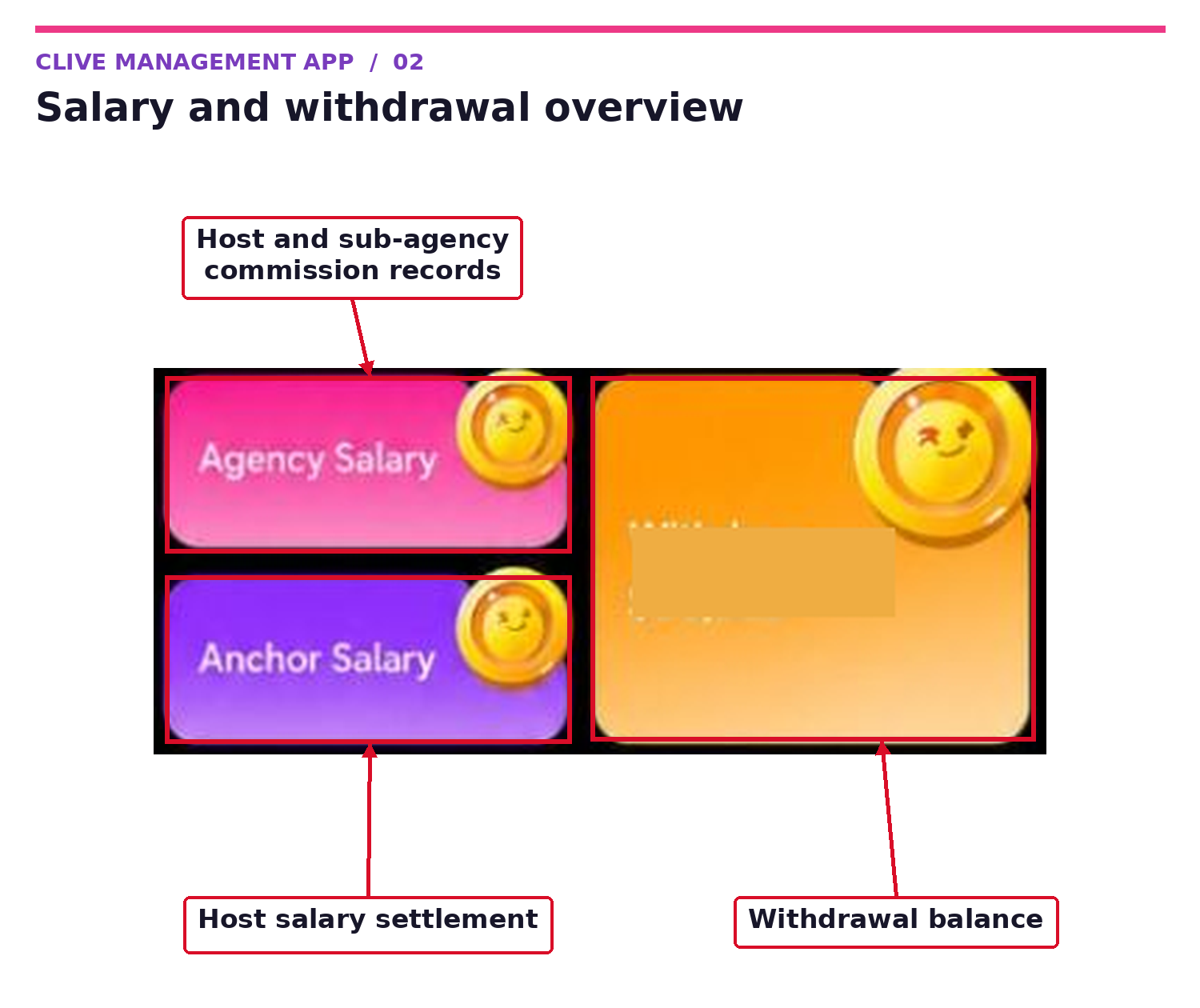
If you need the app, follow the management-app download and login guide.
How Hosts Receive Payment
Your agency pays your host salary. Contact your agency about your salary record or a missing payment.
Weekly Salary Settlement
| Stage | Time |
|---|---|
| Earning period starts | Monday, 00:00 IST |
| Earning period ends | Sunday, 23:59 IST |
| Agency withdrawal processing | Monday to Friday |
IST is UTC+5:30. Processing days do not guarantee an arrival date for every payment. Check your transaction status in the app and read the salary settlement policy.
Withdrawal FAQs
Why has my withdrawal not arrived?
Check the transaction status in the app. A payment may still be processing during the weekly window.
Why did my withdrawal fail?
Open the transaction’s order details to check the available failure information.
Where are individual host salary records?
They are available under Anchor Salary in the management app.
Who should a host contact about a missing salary?
Contact your agency and provide the relevant settlement period so it can check your salary record.
What happens after a host salary complaint?
A salary complaint can lead to frozen agency funds, direct settlement with the host and termination of the agency’s cooperation with CLive. Keep the salary period and payment records available for the complaint process.
What if I forget my withdrawal password?
Use the account’s withdrawal-password recovery option and follow the instructions shown in the app. Keep passwords and verification codes private.
What are the withdrawal minimum and fees?
Check the current Withdraw screen before submitting a request. This guide does not list an unconfirmed minimum or fee.